Upgrading Firmware and Driver
Upgrade Procedure
Upgrade NPU firmware first and then driver. The procedure is as follows:
- Log in to the server as the root user.
- Upload the driver and firmware packages to any directory on the server, for example, /home.
- Add the execute permission on the driver and firmware packages.
chmod +x Ascend-hdk-<chip_type>-npu-driver_<version>_linux-<arch>.run
chmod +x Ascend-hdk-<chip_type>-npu-firmware_<version>.run
- Upgrade the driver and firmware. The default upgrade path of the software package is /usr/local/Ascend.
- Upgrading the firmware
Run the following command to complete the firmware upgrade:
./Ascend-hdk-<chip_type>-npu-firmware_<version>.run --upgrade
If the following information is displayed, the firmware is successfully upgraded:
1Firmware package upgraded successfully! Reboot now or after driver installation for the installation/upgrade to take effect.
- Upgrading the driver
Run the following command to upgrade the driver:
./Ascend-hdk-<chip_type>-npu-driver_<version>_linux-<arch>.run --upgrade
If the following information is displayed, the driver is successfully upgraded:1Driver package upgraded successfully!Reboot needed for installation/upgrade to take effect!
- Upgrading the firmware
- Run the reboot command to restart the system.
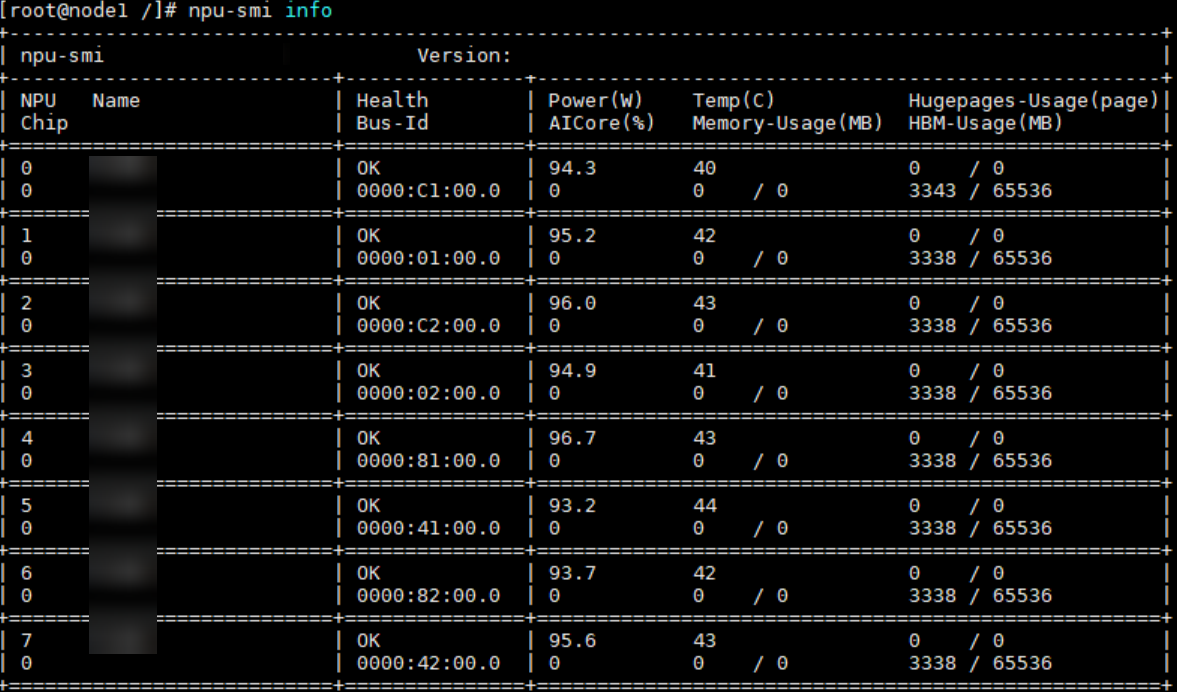
- Run the npu-smi info command to check whether the driver is upgraded successfully.
If the driver information is displayed, the driver is successfully loaded. Otherwise, the loading fails. Visit the Support website to seek help in the forum or submit a technical service ticket.
Parent topic: Upgrade