EinsumPass
Description
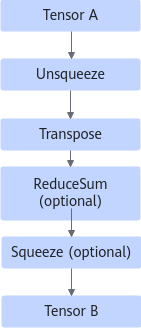
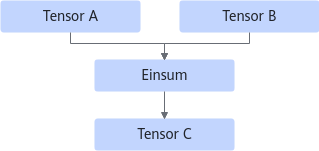
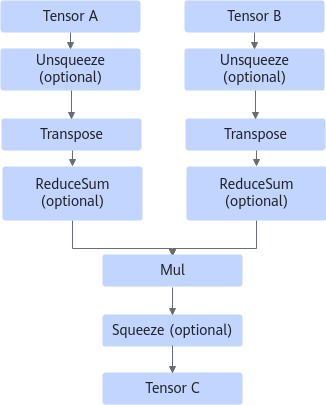
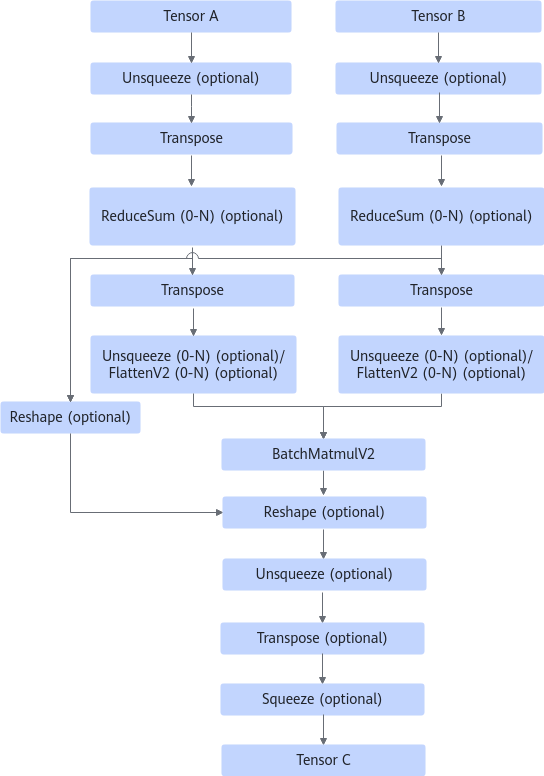
Constructs a computational graph based on the expression of the Einsum operator. As shown in the following figure, the dotted-line nodes in the computational graph indicate that operators may be added based on the actual expression.
- For static shapes, there are two cases:
- Static shape and single input:
Before: 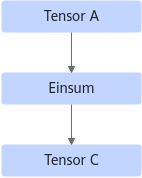 After: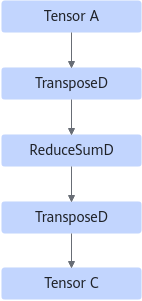
- Static shape and dual inputs (Depending on the specific expression, the two inputs of the MatMul operator may be swapped):
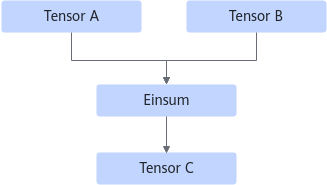
After:
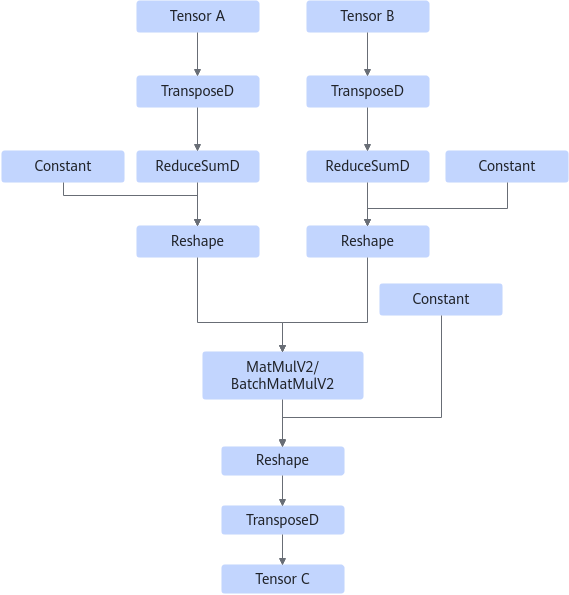
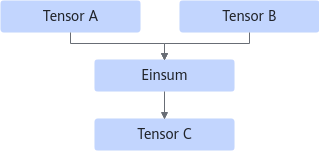
- For dynamic shapes, the graph to which the Einsum operator belongs before fusion has dual inputs, as shown in the following figure:
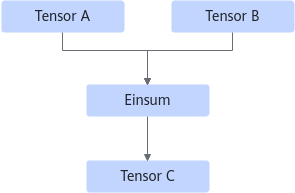
Currently, 14 types of expressions are supported for dynamic shapes. The following figures show the graphs after fusion.
- The Einsum expression is in the form of "abc,cde->abde":
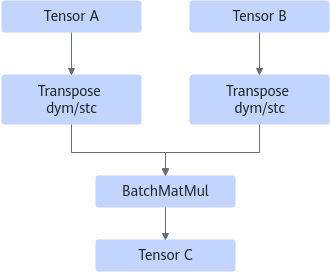
- The Einsum expression is in the form of "abcd,aecd->aceb" (the two inputs of the BatchMatMul operator are swapped):
- The Einsum expression is in the form of "abcd,adbe->acbe":
- The Einsum expression is in the form of "abcd,cde->abe":
- The Einsum expression is in the form of "abc,cd->abd":
- The Einsum expression is in the form of "abc,dc->abd":
- The Einsum expression is in the form of "abc,abd->dc" (the two inputs of the MatMulV2 operator are swapped):
- The Einsum expression is in the form of "abc,dec->abde":
- The Einsum expression is in the form of "abc,abde->dec":
Tensor B with a dynamic shape:
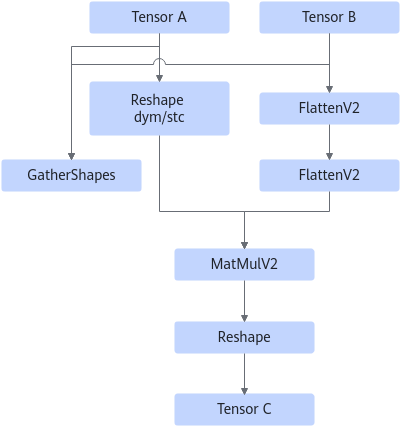
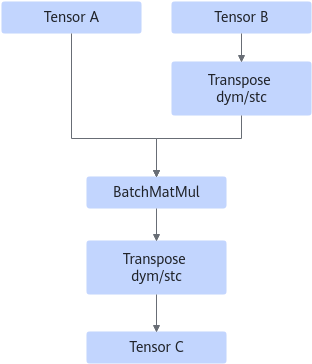
- The Einsum expression is in the form of "abcd,aecd->acbe":
- The Einsum expression is in the form of "abcd,acbe->aecd":
- The Einsum expression is in the form of "abcd,ecd->abe":
- The einsum expression is in the form of "abcd,abe->ecd":
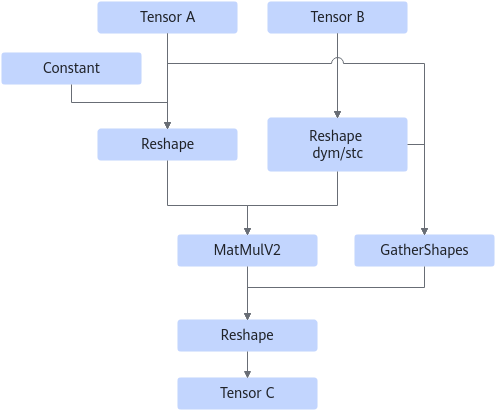
Tensor A with a dynamic shape:
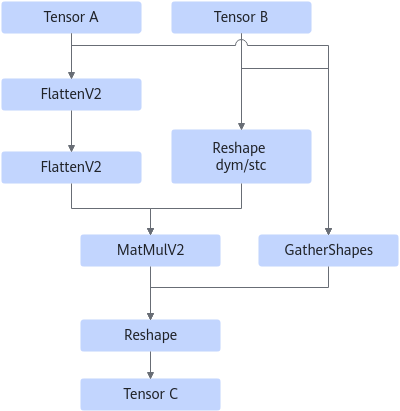
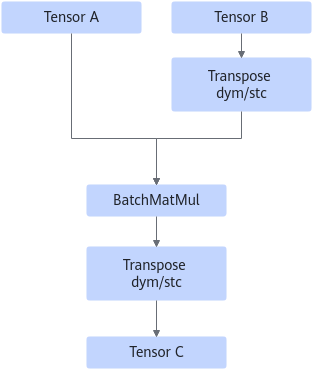
- The Einsum expression is "abcd,acbe->adbe":
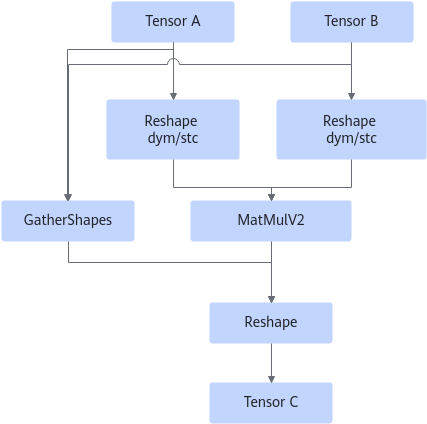
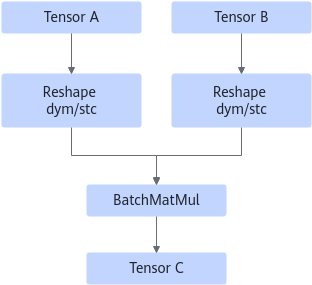
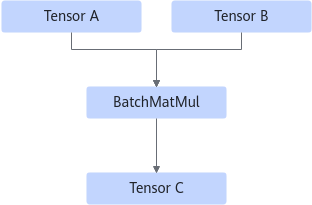
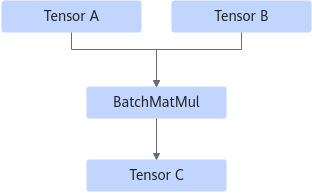
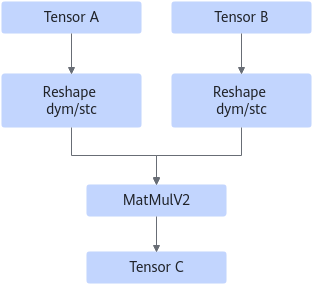
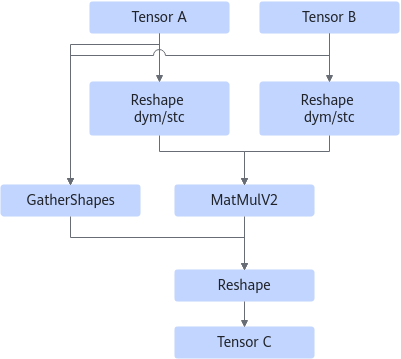
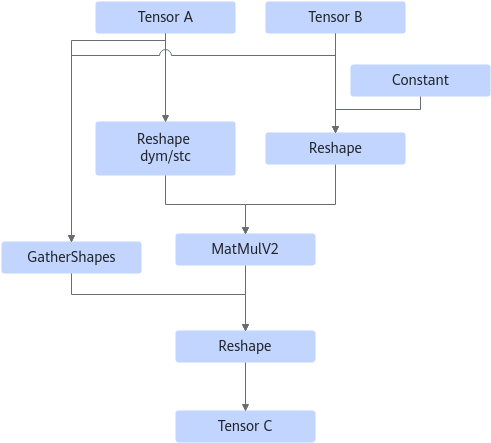
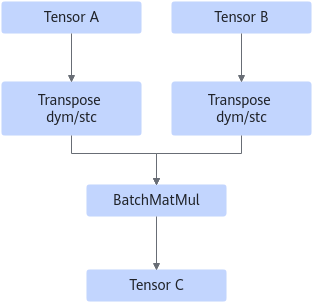
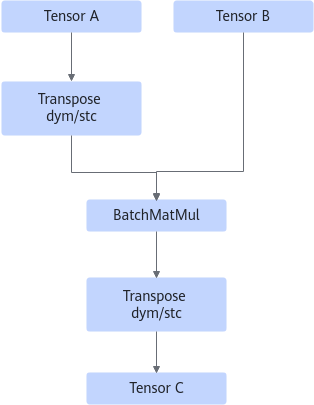
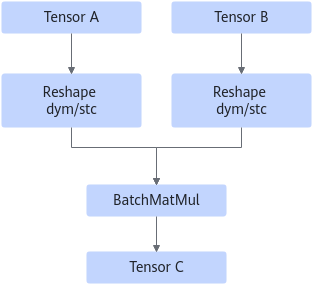
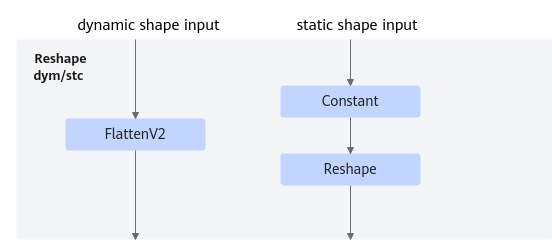
Based on whether the input shape is dynamic, the Reshape dym/stc node contains the operators shown in the following figure.
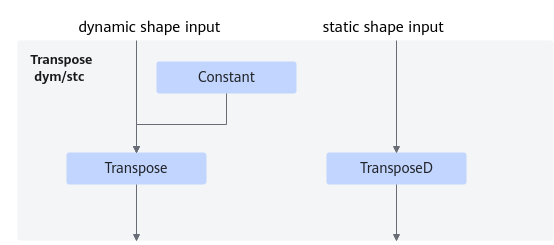
Based on whether the input shape is dynamic, the Transpose dym/stc node contains the operators shown in the following figure.
- The Einsum expression is in the form of "abcd, abde->abce":
- The Einsum expression is in the form of "abcd, abce->abde":
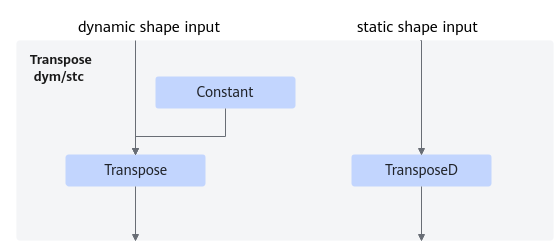
Based on whether the input shape is dynamic, the Transpose dym/stc node contains the operators shown in the following figure.
- The Einsum expression is in the form of "abcd, aebd->aebc":
Based on whether the input shape is dynamic, the Reshape node contains the operators shown in the following figure.
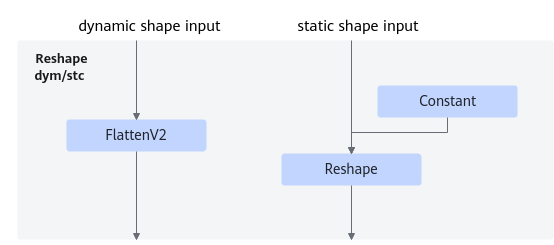
- The Einsum expression is in the form of "abcd, abce->acde":
Based on whether the input shape is dynamic, the Reshape node contains the operators shown in the following figure.
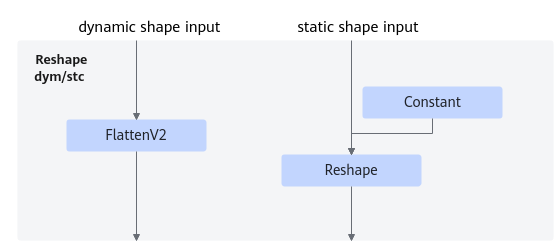
- The Einsum expression is in the form of "abc, abd->acd":
Based on whether the input shape is dynamic, the Transpose dym/stc node contains the operators shown in the following figure.
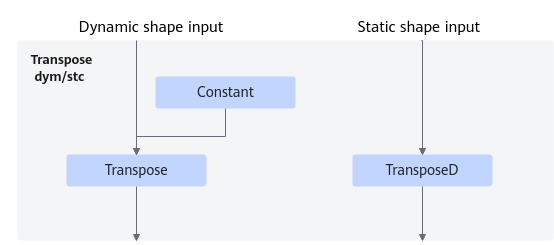
- The Einsum expression is in the form of "ab, cb->ac":
Based on whether the input shape is dynamic, the Transpose dym/stc node contains the operators shown in the following figure.
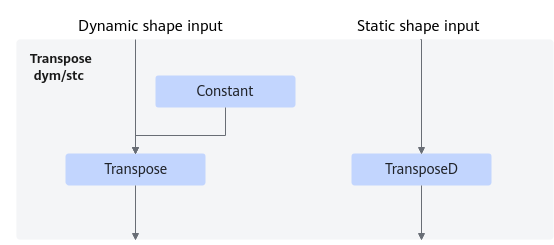
- The Einsum expression is in the form of "abc, acd->abd":
- The Einsum expression is in the form of "abc, adc->abd":
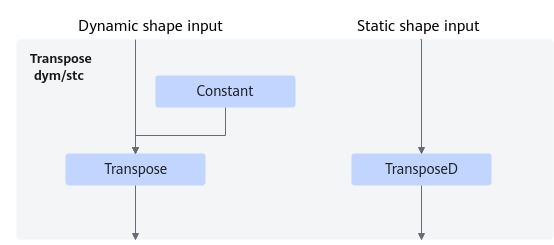
Based on whether the input shape is dynamic, the Transpose dym/stc node contains the operators shown in the following figure.
- The Einsum expression is in the form of "abcd, ced->abce":
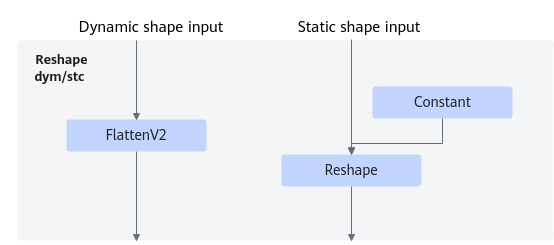
Based on whether the input shape is dynamic, the Reshape node contains the operators shown in the following figure.
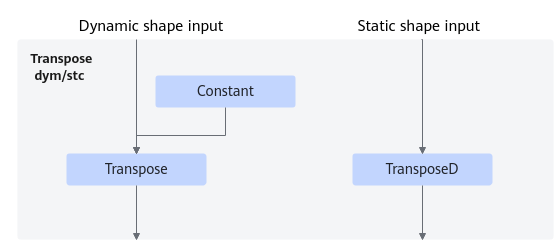
Based on whether the input shape is dynamic, the Transpose dym/stc node contains the operators shown in the following figure.
- The Einsum expression is in the form of "abcd, ebcd->bcae":
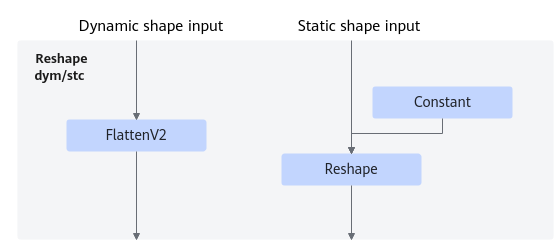
Based on whether the input shape is dynamic, the Reshape node contains the operators shown in the following figure.
Based on whether the input shape is dynamic, the Transpose dym/stc node contains the operators shown in the following figure.
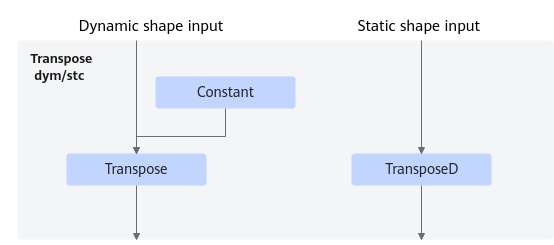
- The Einsum expression is in the form of "abcd, dabe->cabe":
Based on whether the input shape is dynamic, the Reshape node contains the operators shown in the following figure.
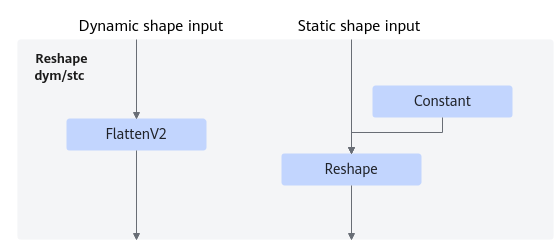
- The Einsum expression is in the form of "a, b->ab":
- The Einsum expression is in the form of "abcd, aecd->eb":
Based on whether the input shape is dynamic, the Reshape node contains the operators shown in the following figure.
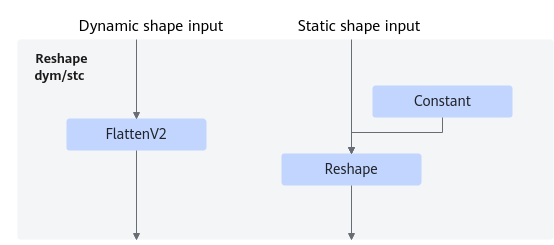
Based on whether the input shape is dynamic, the Transpose dym/stc node contains the operators shown in the following figure.
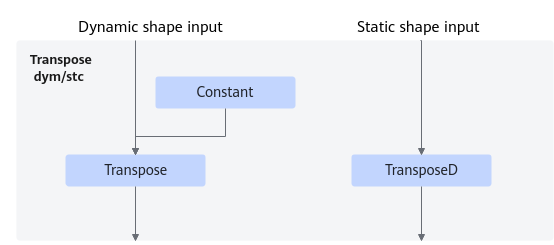
- The Einsum expression is "abcd, eb->aecd":
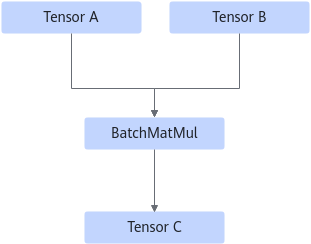
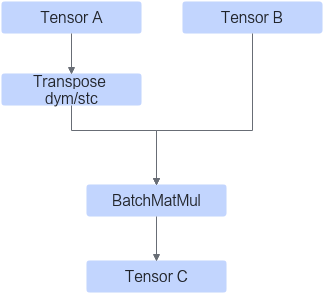
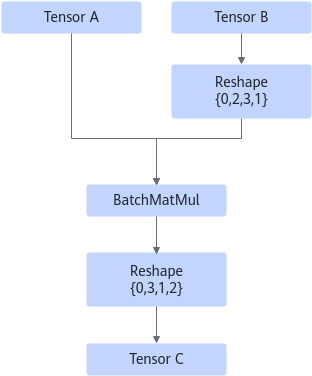
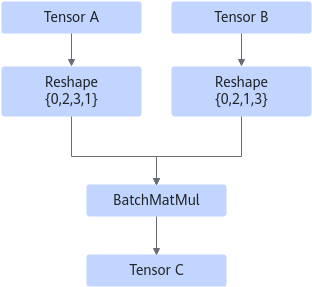
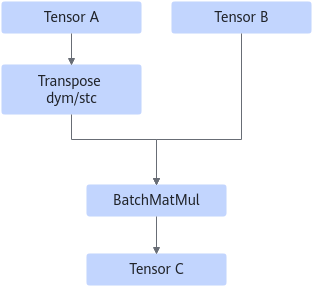
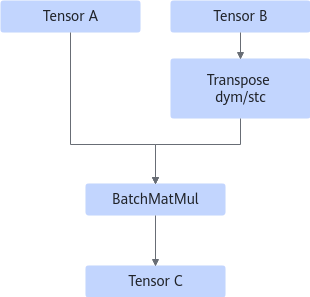
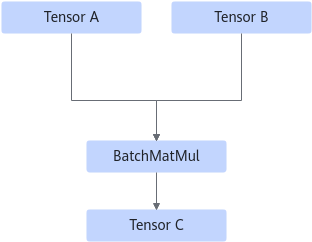
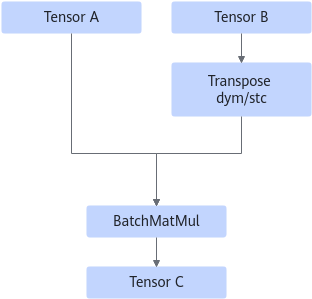
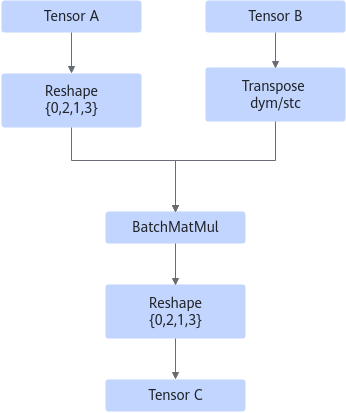
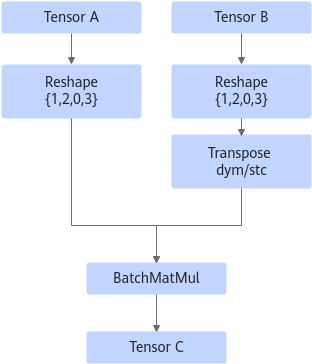
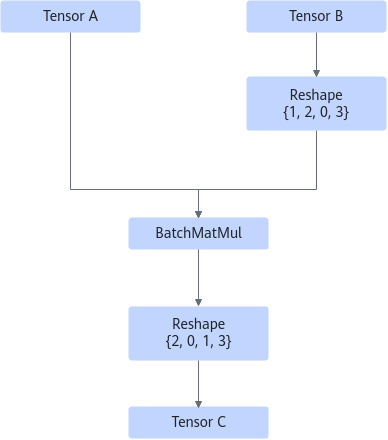
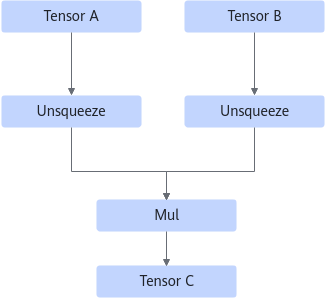
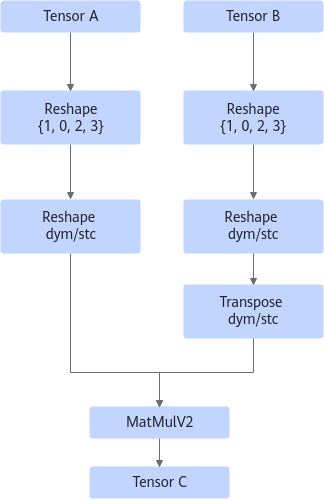
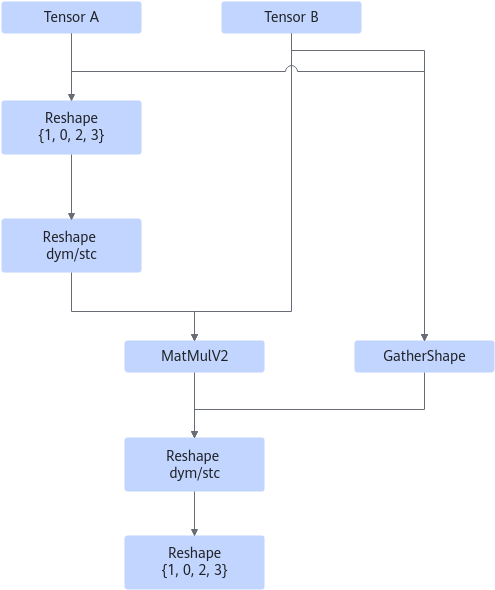
Based on whether the input shape is dynamic, the Reshape node contains the operators shown in the following figure.
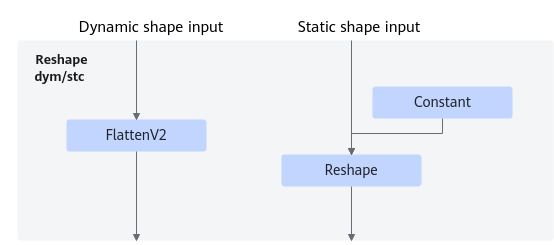
- For other dynamic shapes, there are two cases:
- Single-input:
- Dual-input:
- Scenario 1
Unsqueeze, ReduceSum, and Squeeze are optional operators, and each of them may appear multiple times.
- Scenario 2
Unsqueeze, ReduceSum, Unsqueeze/FlattenV2, Reshape, Transpose, and Squeeze are optional, and ReduceSum and Unsqueeze/FlattenV2 may appear multiple times.
- Scenario 1
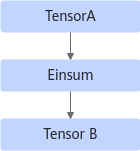
Constraints
- This fusion pattern is enabled by default and cannot be disabled.
- The Einsum operator can have only one or two inputs, and the number of elements of the input tensor cannot overflow the int64 representation range.
- For static shapes, the Einsum expression supports only a single input with a single output or dual inputs with a single output.
- For static shapes, the input or output expression cannot have duplicate dimension labels.
- For static shapes, if the fused operator is BatchMatMul, the data type of the input tensor can only be float16 or float32.
- For dynamic shapes, only 14 Einsum expressions are supported (the specific dimension label is only an example): "abc,cde->abde", "abcd,aecd->aceb", "abcd,adbe->acbe", "abcd,cde->abe", "abc,cd->abd", "abc,dc->abd", "abc,abd->dc", "abc,dec->abde", "abc,abde->dec", "abcd,aecd->acbe", "abcd,acbe->aecd", "abcd,ecd->abe", "abcd,abe->ecd", and "abcd,acbe->adbe". If the Einsum operator has only one input, the input cannot have a dynamic shape.
- For dynamic shapes, the number of input dimensions must be the same as that in the corresponding Einsum input expression.
- For dynamic shapes, the Einsum expression supports a single input with a single output, dual inputs with a single output, or empty output. The input or output expression cannot have duplicate dimension labels. A dimension label of the output must exist in the input.
- For dynamic shapes, only input tensors with a maximum of four dimensions are supported.