Function Description
Vision Preprocessing Core (VPC) provides the following functions:
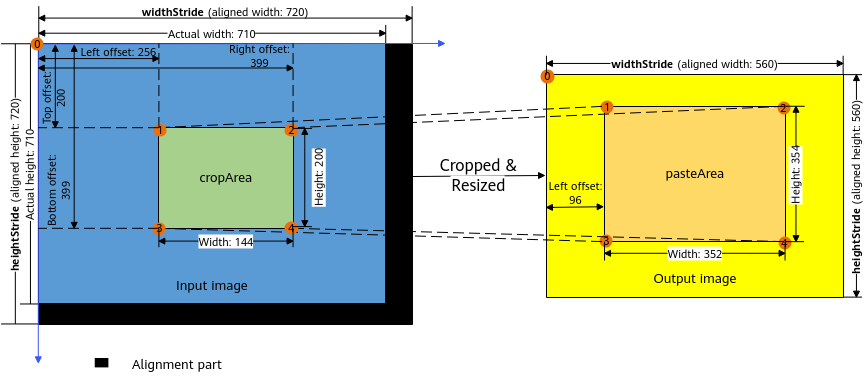
- Cropping: crops one or more selected regions of interest (ROIs) from an input image.
- Resizing:
- Resizes an ROI (supporting uncompressed format) or multiple ROIs from a single image (supporting uncompressed format).
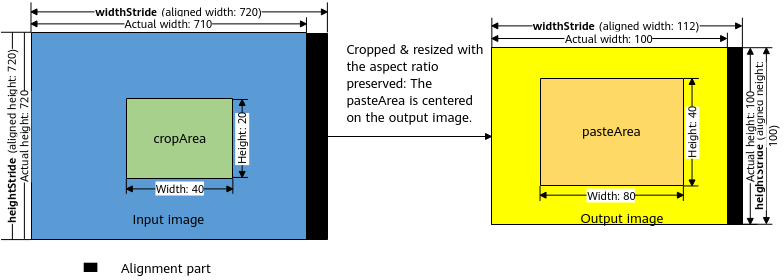
- Other resizing modes, such as resizing an image without cropping it and resizing an image with the aspect ratio preserved.
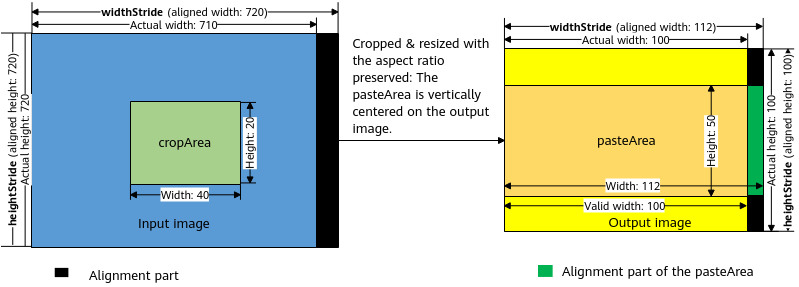
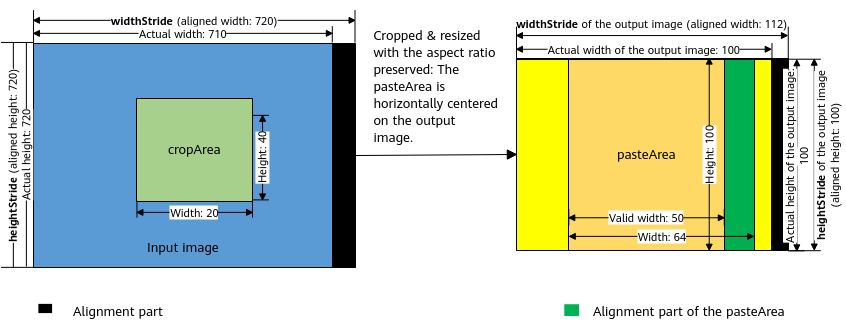
- Pasting: crops a selected ROI from the input image, resizes the crop ROI, and pastes it to a specified area of the output image. The output image may be a blank image (when the allocated output buffer is empty) or an existing image (when an image has been read into the allocated output buffer). Note that the pasting concept here refers only to the case when the output image is an existing image.
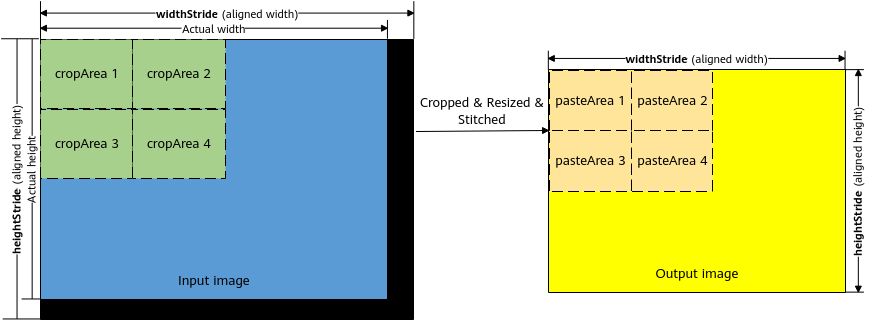
- Stitching: crops selected ROIs from the input image, resizes the crop ROIs, and loads them to specified areas in the output buffer.
- Image pyramid: successively downsamples an image using a Gaussian filter.
The Ascend 310 AI Processor does not support this function.
The Ascend 910 AI Processor does not support this function.
- Histogram analysis: collects statistics on the pixel value distribution of each image channel (RGB/YUV).
The Ascend 310 AI Processor does not support this function.
The Ascend 910 AI Processor does not support this function.
- Color remapping: remaps an image to a new one based on the given configuration.
The Ascend 310 AI Processor does not support this function.
The Ascend 910 AI Processor does not support this function.
- Border making (or padding): creates a border around an image.
The Ascend 310 AI Processor does not support this function.
The Ascend 910 AI Processor does not support this function.
- Format conversion: converts formats between RGB and YUV.
- Image grayscale: converts a color image into a grayscale image. Note that a grayscale input image produces only a grayscale output image.
Ascend 310 AI Processor: Only the data of the Y component is extracted from the YUV420SP output image.
Ascend 910 AI Processor: Only the data of the Y component is extracted from the YUV420SP output image.
Ascend 310P AI Processor: A YUV400 image is output.
Function Diagrams
Reference
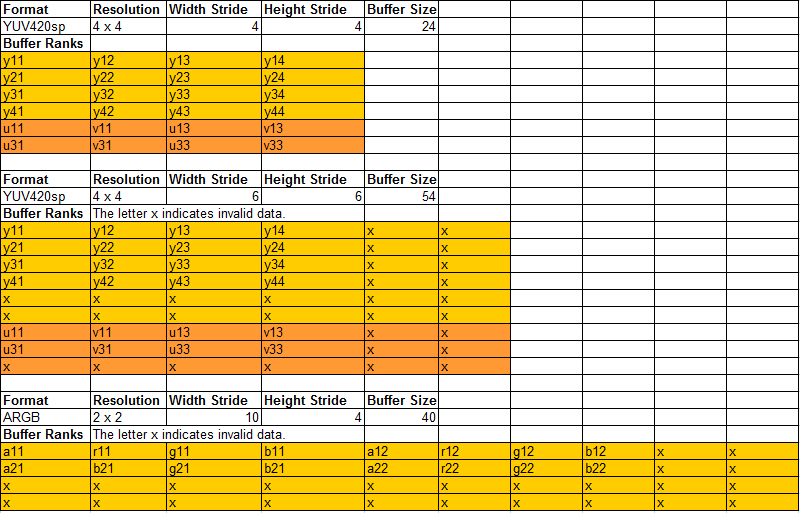
The following figure shows the component layout of the RGB and YUV formats. Two YUV420SP images are used as examples for semi-planar format and an ARGB image is used as an example for Packed and RGB formats.